 Digest: Food journal for iPhone and iPad. Log a meal in 10 seconds
Digest is a food journal. You type a meal the way you'd say it, and it goes on your timeline as foods and a time, with no calories to count and no food database to search. It all stays on your devices and in your own iCloud, with no account.
Digest is a journal, not a medical device, and nothing in it is medical advice. It doesn't diagnose or treat anything.
Coming soon
See how it works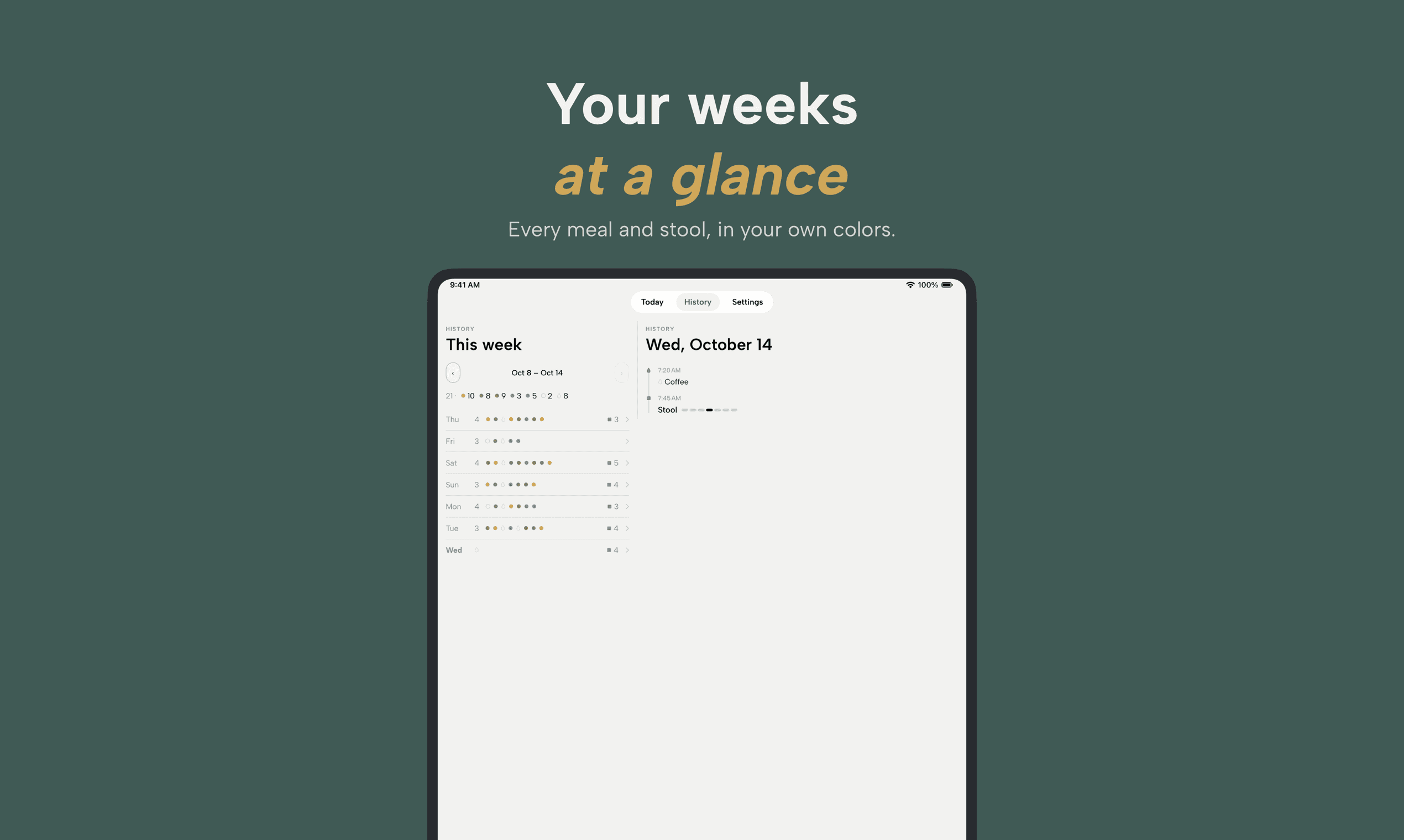
On this page
How it works
1. Type the meal
Write it the way you'd say it, "two eggs and toast around 8", and Digest reads it into foods and a time, which you check before saving. Foods you've had lately come back as one-tap chips, and a template adds the breakfast you repeat in one go. There are no calories, no portions to weigh and no food database.
Image 1 of 1
2. Log a stool, if you want
Consistency on a 1–7 scale, whether you had to rush, the time and a note, in a few taps from the app, a widget or a Lock Screen control. Search finds past stools: "type 4" for that type, "rush" for the times you had to rush, or any word from a note. If you only want to log food, switch stools off in Settings.
Image 1 of 1
3. Read it back
History shows the weeks, and search finds any food or color.
A week reads at a glance
Image 1 of 1
History draws each week in the colors you picked, with a number for how many times you ate each day, so a week reads at a glance instead of word by word. Drinks get their own dot, and a coffee on its own isn't counted as a meal. Tap a day and you get its timeline: meals, drinks and stools, in the order they happened.
Search does the rest. Type a food and Digest lists every day you ate it, and every day you ate a dish you linked to it. Tap one of your colors, or type its name, and you get every day you ate a food you put in it.
Colors mean what you decide
Image 1 of 1
You get up to 8 colors at a time, and what each one means is yours to write: brick for heavy meals, sage for the standbys, whatever you'd use. A color has a name and a longer meaning that only you see, which is the part that still tells you why ochre is there a month later. Digest never marks a food good or bad.
Yours, on your device
Image 1 of 1
Everything you log is stored on your device. There's no Digest account, no sign-up and no server of ours, and no analytics in the app either.
Your journal syncs through your own iCloud account, the way Notes and Photos do, and follows the iCloud settings on your device. You can export all of it as CSV or JSON whenever you want. Weight can come from Apple Health; Digest only reads it and shows it in History, and never copies or uploads it.
A fasting timer, if you fast
Turn it on and Today shows the hours since your last logged meal against a target you choose, with a widget and, if you want, a notification when you get there. You decide whether a coffee or a glass of water ends a fast.
Free and Pro
Free
- $0
- Meals, drinks and stools, logged with no limit.
- History and search for this week and the 2 weeks before it.
- Older entries stay in your journal, and every export includes them.
- Colors, templates, links, widgets and the fasting timer.
Pro
- $2.99a month
- Best value$19.99a yearSave 44%
- $39.99once
- Everything in Free.
- Every week you've logged, in History and in search.
- One purchase covers your iPhone and iPad, on the same Apple Account.
Prices are for the US; the App Store shows yours.
Coming soon
What Digest doesn't do
Digest keeps what you log and shows it back to you. It doesn't count calories, it doesn't draw conclusions from what you ate or logged, and it never tells you what to eat or what to cut. There are no streaks and no scores.
FAQ

Digest
Coming soon to iPhone and iPad
No account, and nothing to set up before your first meal.
Coming soon